In a container
The latest version release is available as a docker image. To pull and run locally:
docker run --rm -p 8080:80 \
  ghcr.io/scm-js/scm-js:latest
Then go to http://localhost:8080 in your browser.

scmJS
scmJS is a free, open source StarCraft 1 map editor written in
TypeScript. Open, edit and save .scm, .scx
and .chk maps for Brood War and StarCraft: Remastered,
including protected ones, in a browser tab or as a desktop app.
Beta scmJS is still under development. Make sure you backup any map files you deem important before editing.
Bug? Report it on the issue tracker. In the editor, use Help ▸ Copy Bug Report to get a log to attach to the issue.
The desktop app consists of an electron wrapper around the editor with
some extra features: an auto updater (you may opt into the nightly
line from application preferences), automatic detection of Starcraft 1
installations, and native file association and 'open with...' support.
Nothing is signed yet, so Windows shows SmartScreen's warning and
macOS needs
xattr -d com.apple.quarantine before it will run.
| Platform | Latest release | Nightly |
|---|---|---|
| Windows installer | scmJS-windows-x64-setup.exe | nightly .exe |
| Windows zip, no install | scmJS-windows-x64.zip | nightly .zip |
| macOS Apple silicon | scmJS-macos-arm64.dmg | nightly .dmg |
| macOS Intel | scmJS-macos-x64.dmg | nightly .dmg |
| Linux AppImage | scmJS-linux-x86_64.AppImage | nightly .AppImage |
| Linux Debian, Ubuntu | scmJS-linux-amd64.deb | nightly .deb |
All nightly builds are the same build as nightly.editor.scmjs.dev. Every asset, and the notes for each version, are on the releases page.
The latest version release is available as a docker image. To pull and run locally:
docker run --rm -p 8080:80 \
ghcr.io/scm-js/scm-js:latest
Then go to http://localhost:8080 in your browser.
Every release has a scmJS-web.zip - this is the
built bundle, static files, with no server serve mechanism.
Unpack it anywhere that serves files from the root.
Node required (22 or newer). Clone, npm install,
then npm run dev to run the development server or
npm run build:desktop for an installer.
The tilesets, unit graphics and .dat tables are property
of Blizzard Entertainment and are not redistributable. On first run
the editor will present options to either Download them directly from
Blizzard or allow you to drop them in. Desktop builds will search on
disk to attempt to find the files.
If no game data is found, the editor will still function but fallback into a degraded state.
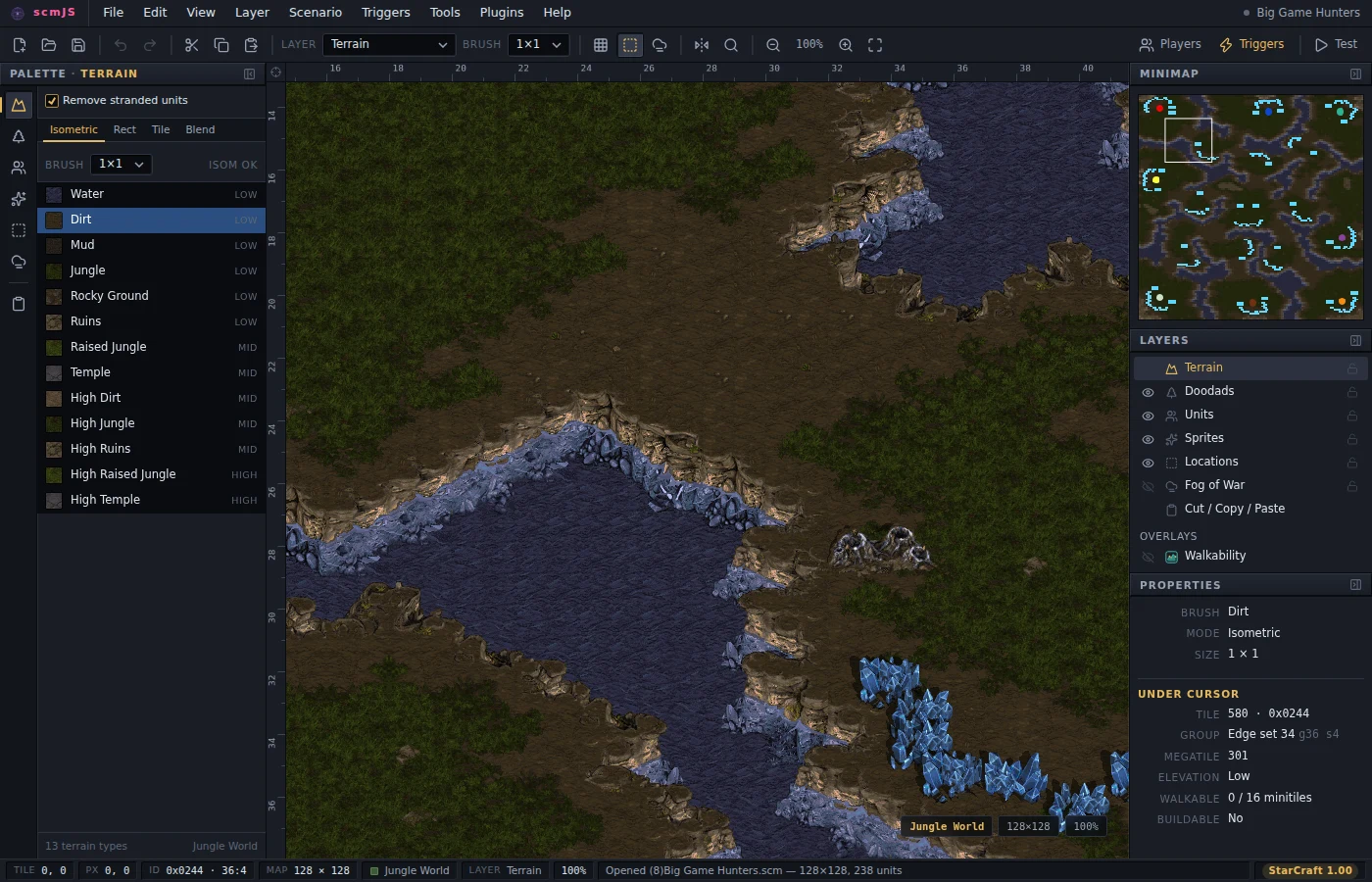
See the user guide for documentation.
The layers, palettes and dialogs follow StarEdit and SCMDraft 2, so
the editor should feel familiar.
Triggers can be imported and exported as SCMDraft
.trg files with the text trigger editor plugin - this uses SCMDraft's TrigEdit syntax,
so triggers copied out of SCMDraft paste straight in.